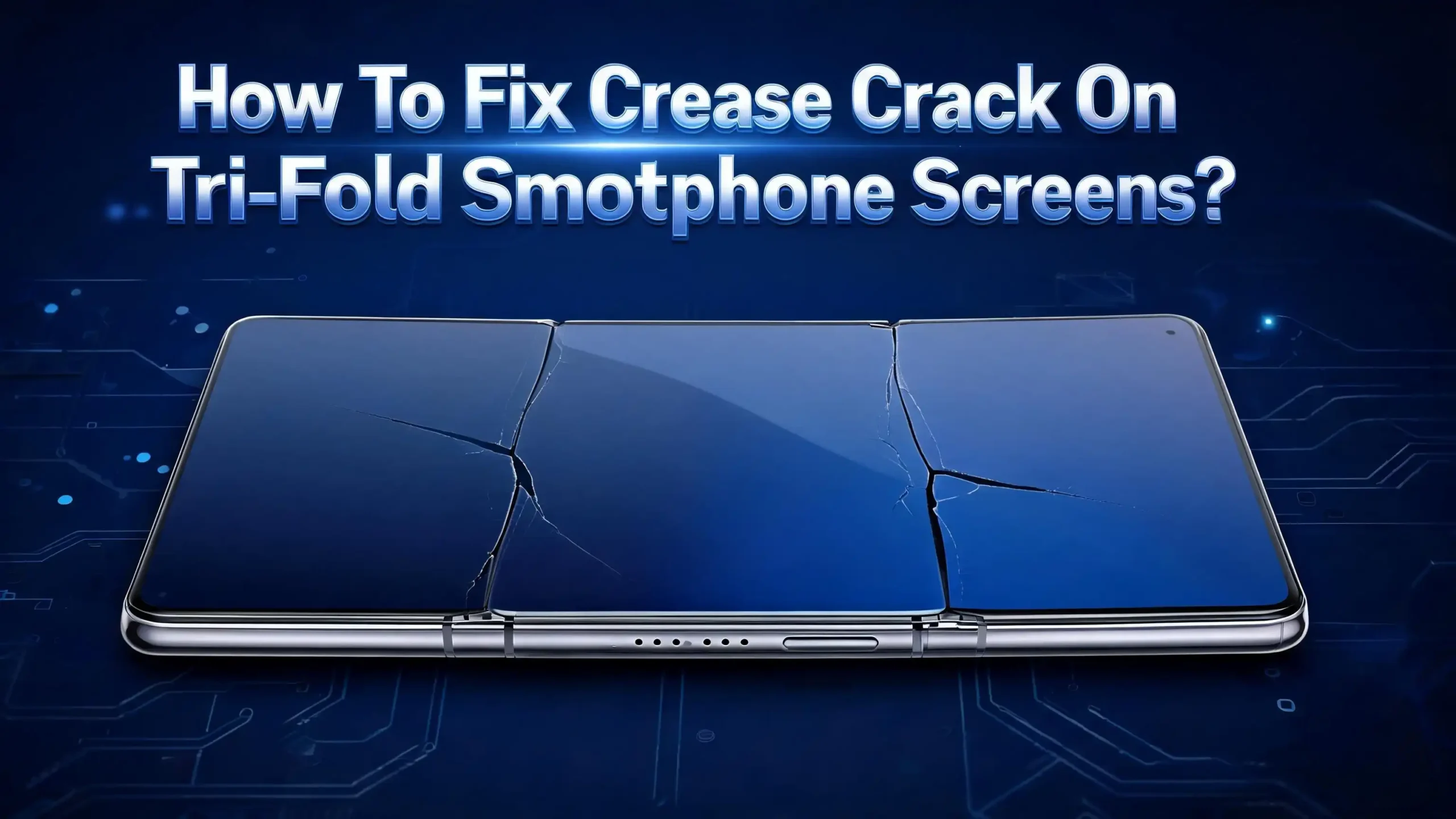
How To Fix Crease Crack On Tri-Fold Smartphone Screens?
Tri-fold smartphones look stunning when you open them up. But that big flexible display has two crease lines, and those lines take a beating every time you fold the phone.
Over months, tiny hairline cracks start to appear right along the fold. Some show up as faint white lines. Others spread into colorful glitchy stripes that ruin the whole screen.
This guide walks you through every fix, every prevention trick, and every repair option in plain language.
You will learn what causes crease cracks, how to spot early warning signs, and which methods give the best results without voiding your warranty. Let’s jump in.
In a Nutshell
- Crease cracks happen because of repeated stress on the flexible OLED layer and the protective film at the two hinge points. They are often a wear and tear issue, not a manufacturing fault.
- Replacing the factory screen protector is the single most effective DIY fix. A peeling protector traps dust and dirt, which acts like sandpaper on the display each time you fold the phone.
- Soft heat treatment with a microfiber cloth can smooth out shallow crease marks. It does not repair real cracks, but it makes faint creases look much less visible.
- Keep the phone unfolded at night to give the display long resting periods. This simple habit can extend screen life by months.
- Professional repairs cost between 600 and 1,200 dollars for tri-fold models, so prevention beats repair every single time.
- Avoid extreme temperatures, sharp objects, and folding with debris on the screen, since these are the top three reasons people end up with a cracked crease.
What Causes Crease Cracks On Tri-Fold Screens?
Tri-fold phones have two hinges instead of one. That means the inner display bends in two separate spots every time you open or close the device. Each bend stretches the polymer layers, the OLED panel, and the top protective film. Over thousands of folds, the materials grow tired and small fractures begin to form.
The most common cause is the screen protector lifting along the crease. Once it lifts, dust slips underneath. Each fold then presses that dust into the soft display, scratching it from the inside out. Tiny scratches turn into hairline cracks within weeks.
Cold weather makes the problem worse. Flexible OLED layers become stiff below 5 degrees Celsius, and folding a stiff screen creates micro fractures. Hot weather also weakens the adhesive that holds the protective film in place.
Other causes include folding with crumbs, sand, or pocket lint stuck on the screen. Pressing too hard near the crease while typing also adds stress. Even small drops can shift the internal layers and start a crack you will not see for days.
Knowing the cause helps you choose the right fix. If your crack came from a lifted protector, replacing the protector solves most of the problem. If it came from a drop, you may need a deeper repair.
How To Spot An Early Crease Crack Before It Spreads
Catching a crease crack early gives you the best chance of saving your screen. Most cracks start as a thin white or silver line that runs along one of the fold creases. You might only see it when the screen is off or when a dark wallpaper is showing.
Run your fingernail gently across the crease. If you feel a tiny ridge or hear a faint click, the protective film has lifted. That is your warning sign. Act on it the same day if possible.
Look for rainbow flickers, dead pixel rows, or color bleeding along the fold. These signs mean the OLED layer itself has started to fail. Once the OLED cracks, no DIY method will fully restore the image, but you can still stop further spread.
Touch sensitivity changes are another early clue. If the area near the crease ignores taps or registers ghost touches, the digitizer layer has cracked. Try restarting the phone first. If the issue stays, treat it as a real crack.
Take a clear photo of the crease under bright light each week. Compare photos over time. This helps you spot slow growth before it becomes serious. Early action saves money and keeps the screen usable for longer.
Method 1: Replace The Factory Screen Protector
Every tri-fold ships with a thin protective film already installed on the inner display. This film is meant to be replaced, not removed forever. When it starts peeling, you must swap it for a fresh one as soon as possible.
Pros: This method is cheap, fast, and stops most early stage crease damage. Manufacturers like Samsung and Huawei often replace this film for free or a small fee during the warranty period. It also hides minor surface scratches under the new film.
Cons: Removing the old film without damaging the OLED below is tricky. If you peel too hard, you can lift the display layer with it. Aftermarket films may not match the factory adhesive strength, and a poor fit can trap air bubbles right at the crease.
To replace it yourself, warm the old film with a hairdryer on low heat for about 30 seconds. Use a plastic pry tool, never metal, to lift one corner. Pull slowly at a low angle while keeping the phone flat. Clean the screen with a lint free cloth and isopropyl alcohol. Apply the new film starting from the center, pressing outward to push out air.
If you feel nervous, take the phone to an authorized service center. Many will install a replacement film in under an hour. This is the safest path for tri-fold owners who want to avoid risk.
Method 2: Soft Heat Treatment For Shallow Crease Marks
A shallow crease mark is not always a real crack. Sometimes it is just a memory line where the display has been folded for too long in one position. Heat can relax the polymer layers and reduce the visible mark.
Pros: This trick costs nothing. It uses items you already own. It can make faint creases almost invisible in dark mode and helps tired displays look fresh again.
Cons: Heat does not fix true cracks. If you apply too much heat, you can damage the OLED, melt the adhesive, or warp the hinge. Never use a heat gun, only a hairdryer on low heat from a safe distance.
Here are the steps. Power off the phone and lay it fully open on a flat surface. Set a hairdryer to its lowest heat setting and hold it about 20 centimeters away from the crease. Move it back and forth for 15 to 20 seconds. Do not stay in one spot.
Press a clean microfiber cloth gently over the warm crease and let the screen rest open for at least 30 minutes. Avoid folding the phone for one full hour after the treatment. Repeat once a week if needed. This method works best on phones less than two years old where the polymer is still flexible enough to relax.
Method 3: Use A Compatible Aftermarket Screen Protector
If the factory film is gone or beyond saving, an aftermarket screen protector can bridge the gap. Look for TPU based protectors made for foldable phones. Avoid tempered glass since it cannot bend along the crease.
Pros: These protectors absorb small impacts, hide existing crease marks, and add a smooth typing surface. Some come with self healing coatings that close minor scratches with body heat.
Cons: No aftermarket film is as thin as the factory one. The extra thickness can add stress to the hinge over time. Cheap protectors often peel within weeks, which brings back the original dust problem.
Choose a protector that covers the full inner display and has cutouts for the camera and sensors. Make sure it is rated specifically for tri-fold or dual hinge devices. A film made for a single fold phone will not bend correctly at both creases.
Apply it in a clean bathroom right after a hot shower. The steam settles dust and gives you a particle free surface. Use the wet install method if the brand allows it. Press out bubbles from the center toward the edges with a soft squeegee. Let it cure for 24 hours before folding.
If you see lifting at either crease within two weeks, return the protector. A good film should hold its position for at least six months under normal use.
Method 4: Use Dark Wallpapers And Themes To Hide Crease Marks
You cannot always remove a crease crack, but you can make it far less noticeable. Dark wallpapers and dark mode hide most fold lines because the human eye struggles to spot dark gray marks against a black background.
Pros: This is a zero risk fix. It costs nothing and works in seconds. It also saves battery life on OLED displays since black pixels stay turned off.
Cons: The crease still exists. The fix is only visual. Bright apps like maps, white web pages, or video calls will still show the line clearly.
Open your settings and turn on system wide dark mode. Choose a wallpaper that is mostly black or deep navy. Avoid bright gradients that pass through the crease area, since they highlight the line.
Adjust the brightness to a medium level. Very high brightness pushes light through the cracked layers and makes the damage glow. Very low brightness can make the crack look like a black streak. A middle setting hides the issue best.
Many tri-fold owners also enable eye comfort or reading mode, which adds a warm yellow tint. This tint masks small color shifts caused by a damaged OLED layer. Combined with dark mode, it can extend the visual life of a cracked screen by months.
Method 5: Adjust Folding Habits To Prevent Further Damage
How you fold the phone matters more than most owners think. Tri-fold devices have a recommended folding order. Following that order spreads stress evenly between the two hinges and reduces pressure on the cracked area.
Pros: Better habits cost nothing and slow crack growth right away. They also extend battery life and hinge life at the same time.
Cons: Old habits are hard to break. You may forget for the first few weeks. There is no reverse for damage already done.
Always check the screen for dust or crumbs before folding. Wipe the inner display with a dry microfiber cloth every time you close the phone. Never fold with the device wet, since water trapped along the crease damages adhesives fast.
Close the phone slowly and let the hinges guide the motion. Do not slam it shut. Avoid folding in cold cars during winter or in direct sunlight on a beach. Both extremes weaken the layers.
Keep the phone open at night while it charges. This long flat rest period lets the polymer layers recover from the day’s stress. Many owners report that eight hours unfolded each night cuts crease growth in half over a year.
Method 6: Clean The Hinge Groove Properly
Dust inside the hinge does damage you cannot see from the outside. Tiny grit particles ride up into the crease zone every time the phone opens and grind against the soft display.
Pros: Clean hinges fold smoothly, last longer, and put far less stress on the screen layers. Regular cleaning prevents most dust related crease cracks.
Cons: Cleaning a tri-fold hinge is delicate work. The wrong tool can scratch the screen or push debris deeper inside.
Use a dry, ultra soft brush like a clean makeup brush or a camera lens brush. Sweep along the hinge groove once a week. Do not use compressed air, since the high pressure can push dust into the OLED layer and damage adhesives.
Avoid cotton swabs near the screen. They shed fibers that get stuck in the crease. Never use water, alcohol, or cleaning sprays directly on the hinge. If you need moisture, dampen a microfiber cloth with one drop of distilled water and wring it almost dry.
Hold the phone with the crease facing down while brushing. This lets gravity pull loose dust away from the screen. After cleaning, fold and unfold the phone three times slowly to settle the parts. A weekly two minute cleaning routine can add a year to your screen’s life.
Method 7: Apply A Hinge Lock Or Folio Case For Support
A good case spreads pressure across the back of the phone instead of letting it concentrate at the creases. Folio style cases add an extra layer of impact protection too.
Pros: Cases protect against drops, which are a hidden cause of crease cracks. They also keep the phone closed at the same angle each time, reducing uneven stress.
Cons: Cases add bulk and weight. Some cheap cases push against the hinge and actually create new stress points. Always pick a case made specifically for your tri-fold model.
Look for cases with soft TPU edges and a hard back panel. Avoid magnetic cases that snap shut hard, since the snap force adds shock to the hinges. A folio case with a leather flap closes gently and supports both fold sections at once.
Make sure the case does not cover any part of the inner screen when open. Edges that touch the display surface can rub and lift the protective film along the crease. This is one of the most common causes of fresh crease cracks.
Replace the case every year or so. Worn out cases lose grip and stop protecting against drops. A fresh case combined with a fresh screen protector is the strongest defense your tri-fold can have.
Method 8: Reduce Screen Brightness And Heat Exposure
OLED screens age faster under high heat. Brightness creates heat. The hottest part of any foldable display is right along the crease, where the layers are thickest and ventilation is poorest.
Pros: Lower brightness saves battery, reduces heat, and slows OLED aging. It also makes existing crease cracks less visible.
Cons: Outdoor visibility drops at low brightness levels. You may need to bump it up briefly in direct sunlight.
Set your phone to adaptive or auto brightness so it only goes high when needed. Turn off always on display features that keep pixels lit near the crease for hours. Use dark mode for messaging and reading apps.
Avoid leaving the phone in a hot car, on a sunny dashboard, or near a stove. Temperatures above 35 degrees Celsius weaken the adhesive layers fast. Cold below 5 degrees Celsius makes the polymer brittle and easy to crack.
Charge the phone open and on a cool surface. Wireless charging produces extra heat, so use wired charging when possible. If the phone feels warm, set it down and wait until it cools before folding it shut. These small temperature habits add real months to screen life.
Method 9: Use Manufacturer Repair And Care Programs
If your crease crack is bad enough to affect daily use, professional repair may be the only real fix. Both Samsung and Huawei offer official repair programs for their foldable phones.
Pros: Authorized repairs use genuine parts and trained technicians. They keep your warranty valid and often include a short guarantee on the new screen.
Cons: Tri-fold repairs are expensive. A Samsung Galaxy Z TriFold inner display replacement costs around 1,100 to 1,243 dollars in some markets. Huawei Mate XT repairs can cost even more outside China.
Check if you signed up for Samsung Care Plus, Huawei Care, or a similar protection plan when you bought the phone. These plans drop the repair cost to a few hundred dollars and sometimes cover the first replacement for free.
Book your repair through the official app or website. Walk in stores often need to send tri-fold devices to a regional service center, so expect a wait of one to two weeks. Back up your data before you hand over the phone.
Ask the technician to inspect both hinges, not just the cracked one. A fix on one crease only is a half repair. If the second hinge is also worn, it will crack soon after you get the phone back. A full inspection saves you a second trip later.
Method 10: Consider A Third Party Repair Shop With Caution
Independent repair shops often charge less than the official channels. Some specialize in foldable phones and have built real skill in handling these displays. But the risks are real.
Pros: Lower prices, faster turnaround, and friendly service. Some skilled shops charge as little as 600 dollars for a tri-fold inner screen swap, which is half the manufacturer price.
Cons: Third party repairs almost always void your warranty. Replacement screens may be refurbished or aftermarket parts that do not match factory quality. The hinge alignment is hard to set correctly without factory tools.
Read reviews carefully before you choose a shop. Look for one that has been open for at least three years and has photos of past tri-fold repairs. Ask if they offer a written warranty on their work, ideally six months or longer.
Get a written quote before any work begins. Make sure the quote lists the part type (original, OEM, or aftermarket) and the labor cost separately. Ask what happens if the new screen fails within the warranty period.
Avoid mail in shops that ask you to ship the phone without a video call inspection first. Many tri-fold owners have lost devices to scam operations. Use a local shop you can visit in person whenever possible.
Frequently Asked Questions
Can I fix a tri-fold crease crack at home permanently?
No DIY method can permanently fix a real crack in the OLED layer. You can hide shallow marks, replace lifted protectors, and slow the damage, but a true crack always needs professional screen replacement to fully restore the display.
Does the manufacturer warranty cover crease cracks?
Most warranties cover defects in materials but not normal wear. If your crack appears within the first few months and you have not dropped the phone, contact the manufacturer right away. Document the issue with photos and request a free inspection.
How long does a tri-fold screen usually last?
Most tri-fold displays are rated for around 200,000 to 500,000 folds. With careful use, that gives you about three to five years of daily folding before crease wear becomes serious. Heavy users often see early cracks at one to two years.
Will a screen protector stop crease cracks completely?
A quality screen protector reduces the risk a lot, but it cannot stop cracks completely. The display still flexes underneath. Combine the protector with good folding habits, regular cleaning, and temperature care for the best protection.
Is it safe to keep using a phone with a small crease crack?
Yes, in most cases. A hairline crack rarely causes immediate failure. Watch for spreading lines, dead pixels, or touch issues. If any of these appear, stop folding the phone often and book a repair before the damage grows.
Can I replace the inner screen myself on a tri-fold?
Self repair is not recommended for tri-fold phones. The inner display, hinges, and flex cables are highly delicate. One wrong move can ruin the entire device. Leave inner screen replacements to authorized technicians with the right tools.

Hi, I’m Simmy — the creator and writer behind ScaleMyPic.com. I’m a tech enthusiast who loves breaking down complex products into simple, honest reviews and guides. My goal? To help you make smarter tech decisions without the confusion. Got a question? Feel free to reach out!