How To Auto Summarize an Hour Long Video Meeting Into Action Items?
You just sat through a 60 minute video call. Everyone agreed on next steps. Someone said they would send the report by Friday. Another person promised to update the client. But by Monday morning, half of those commitments have disappeared into thin air. Sound familiar?
The average professional attends over 15 meetings every week. That adds up to more than 30 hours a month of talking, listening, and deciding. Yet studies show that most people forget 50% of what was discussed within 24 hours of a meeting. When nobody writes things down properly, accountability collapses. Tasks slip through the cracks. Projects stall.
The good news is that AI has made it possible to automatically transcribe, summarize, and extract action items from any recorded video meeting in just minutes. You no longer need to scribble notes while trying to pay attention.
This blog post walks you through the entire process. You will learn how meeting summarization works, which tools handle each step, how to build an automated workflow, and how to make sure the output is accurate.
Key Takeaways
- AI meeting assistants can transcribe, summarize, and extract action items from a full hour long video call in under five minutes, saving you significant time on manual note taking and follow up coordination.
- The process works in a clear pipeline: the meeting gets recorded, audio gets converted to text through speech to text technology, AI models analyze the transcript for commitments and decisions, and structured output gets delivered to your project management or communication tools.
- You do not need a single expensive platform to make this work. You can combine free or affordable tools like a meeting recorder, an automation platform, and an AI language model to build a custom workflow that fits your team.
- Prompt design matters more than tool selection. The quality of your extracted action items depends heavily on how you instruct the AI to process the transcript. Specific, well structured prompts produce clean and usable results.
- Human review remains important, especially in the early stages. AI can miss context, misattribute tasks, or overlook subtle commitments. A quick two minute review of the output catches errors before they cause problems.
- Organizations using AI meeting intelligence report up to 40% faster follow ups and a 25% improvement in action item completion rates, according to enterprise deployment data from 2025 and 2026.
What Does It Mean to Auto Summarize a Video Meeting
Auto summarizing a video meeting means using AI to convert a recorded call into a short, structured document. This document usually contains a brief summary of the discussion, a list of decisions made, and a clear set of action items with assigned owners and deadlines.
The technology behind this process involves multiple AI components working together. First, speech to text (ASR) technology converts spoken words into a written transcript. Then, speaker diarization identifies who said what during the call. Finally, natural language processing models analyze the text and pull out the important parts.
Think of it like having a very efficient assistant in the room. This assistant listens to everything, writes it all down, figures out who made each commitment, and hands you a clean task list at the end. The only difference is that the assistant is software running on a cloud server.
The output is not a vague paragraph about what happened. Good meeting summarization tools produce structured data that includes topic segments, key decisions, action items tied to specific people, and even sentiment indicators. This output can be sent directly into project management tools like Asana, Jira, or Trello.
What makes this valuable is speed and consistency. A human might take 20 to 30 minutes to review a one hour recording and write up notes. AI does it in two to three minutes. And it does it the same way every time, without forgetting details or getting distracted.
Why Manual Meeting Notes Fail Most Teams
Manual note taking during meetings creates a fundamental conflict. You are either listening carefully to the speaker or writing down what was said. Doing both well at the same time is extremely difficult. Research shows that multitasking during meetings reduces comprehension by up to 40%.
Different people also capture different things. If three team members take notes from the same meeting, you will likely get three different versions of what happened. One person writes down decisions. Another focuses on questions raised. A third captures random details but misses the key commitments. There is no single source of truth.
Manual notes also create a delay in follow up. Someone has to organize their scribbles, type them up, format them, and distribute them to the team. This often takes hours or even days. By the time the notes reach everyone, the context has faded and urgency has dropped.
The biggest problem is accountability. When action items live inside one person’s notebook or in a chat message that gets buried, nobody tracks them. There is no clear record of who promised what. Tasks get lost, deadlines get missed, and meetings have to be repeated to cover the same ground.
Teams that rely on manual notes also struggle with institutional knowledge. When a team member leaves the company, their notes often leave with them. There is no searchable archive of past decisions and discussions.
How AI Meeting Summarization Technology Works
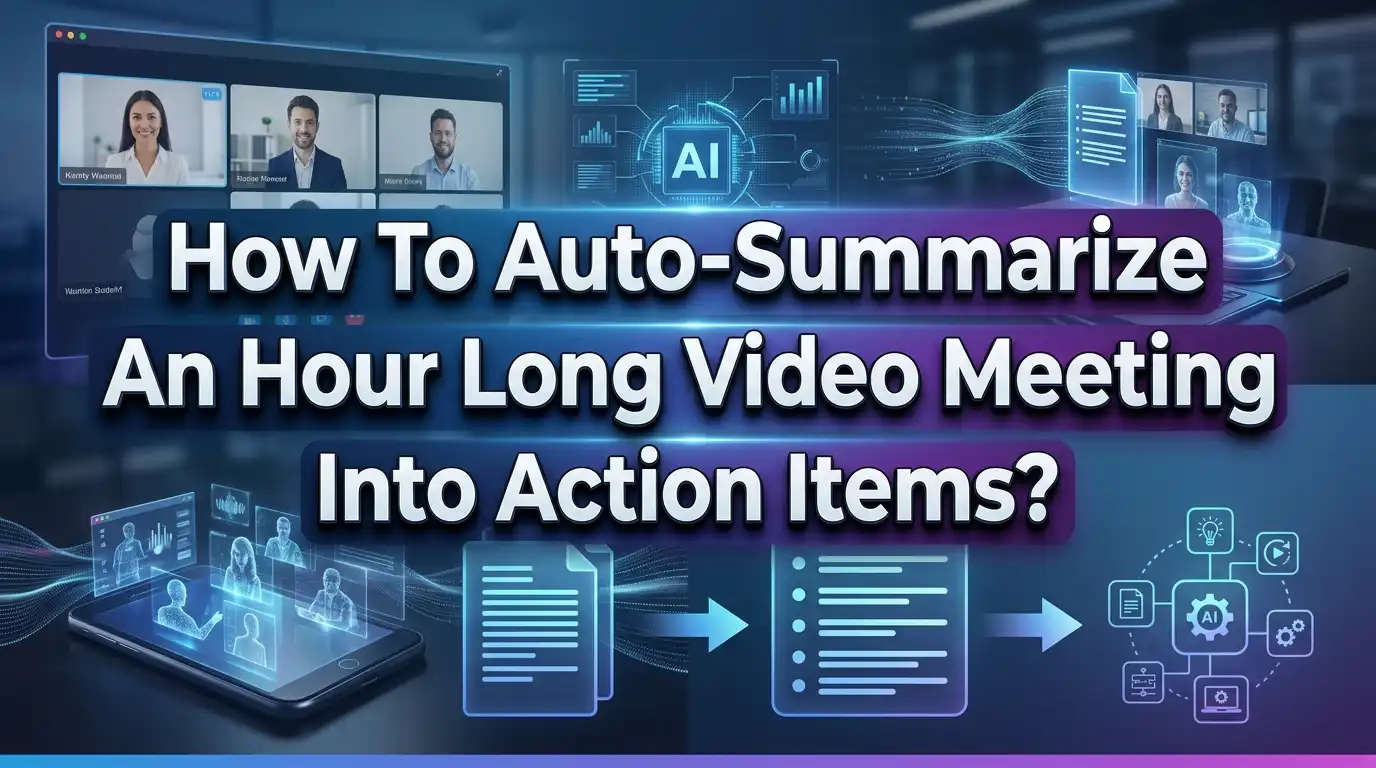
AI meeting summarization follows a clear pipeline with four main stages. Understanding these stages helps you pick the right tools and troubleshoot problems when they arise.
Stage one is audio capture. Your video conferencing platform records the meeting audio. This audio file gets stored either locally or in cloud storage. Tools like Zoom, Google Meet, and Microsoft Teams all offer built in recording features. Some AI meeting assistants join the call as a bot participant and capture the audio directly.
Stage two is transcription. Speech to text engines convert the audio into written text. Modern ASR models like OpenAI Whisper and Azure Speech Service deliver near human accuracy across multiple languages and accents. Speaker diarization runs alongside transcription to label each segment with the correct speaker name.
Stage three is analysis. This is where the real intelligence happens. Natural language processing models scan the transcript for commitment language like “I will send,” “please complete by,” or “let’s schedule.” Intent classifiers identify these phrases as action items and extract the owner, the task, and any mentioned deadline.
Stage four is output generation. A summarization model creates a concise overview of the discussion. The system packages everything into a formatted document that includes the executive summary, topic breakdown, decisions made, and the action item list. This output can then be pushed into your project management or communication tools through API connections.
The entire pipeline typically completes in under five minutes for a one hour meeting. Some tools deliver results in under two minutes.
Choosing the Right Tool for Your Workflow
The market for AI meeting assistants has grown rapidly. You have many options, and the right choice depends on your specific needs and budget. The key is to understand what each category of tool does well.
Dedicated AI meeting assistants like Fireflies, Otter, Fathom, and tl;dv focus entirely on meeting transcription, summarization, and action item extraction. These tools typically join your calls as bot participants, record everything, and process the audio after the meeting ends. They offer features like searchable transcript archives, sentiment analysis, topic tracking, and CRM integrations.
Built in platform features from Zoom, Microsoft Teams, and Google Meet provide basic transcription and summarization without any extra tools. Zoom’s AI Companion generates meeting summaries and action items on paid plans. Microsoft Teams Copilot does similar work but requires an additional subscription. These options work best if you hold meetings on a single platform.
Custom automation workflows combine a recording tool with an automation platform and a language model API. For example, you can use Fathom for recording, Zapier for automation, and the OpenAI API for processing. This approach gives you the most control over output format and filtering.
Free options exist for individuals and small teams. Fathom offers unlimited free transcription. Otter provides 300 free minutes per month. These are excellent starting points if you want to test the technology before committing to a paid plan.
Consider factors like how many meetings you hold per week, which platforms you use, what project management tools you need to connect to, and your budget. Start with one tool, test it for two weeks, and evaluate whether the output meets your needs.
Setting Up Automatic Meeting Recording
The foundation of any auto summarization workflow is a reliable meeting recording. Without a clean audio file, everything downstream suffers. Here is how to set up recording correctly across the most popular platforms.
On Zoom, go to Settings, then Recording, and enable automatic recording. You can choose to save recordings locally or to the cloud. Cloud recording is better for automation because other tools can access the file without manual uploading. Make sure to enable audio transcription in the same settings panel.
On Google Meet, recording is available on Business Standard plans and above. The host can start recording manually, or you can use a third party tool that joins the call and records automatically. Google Meet saves recordings to Google Drive, where they can be picked up by automation tools.
On Microsoft Teams, recording saves to OneDrive or SharePoint depending on the meeting type. Admins can enable automatic recording for all meetings through the Teams admin center. Transcription runs alongside recording when enabled.
If you use a dedicated AI meeting assistant, the setup is even simpler. Tools like Fireflies and Otter connect to your calendar and automatically join every scheduled meeting. You do not need to remember to press record. The tool handles capture, transcription, and processing without any manual step.
Audio quality matters significantly. Use a good microphone. Reduce background noise. Encourage participants to speak one at a time. Clear audio produces accurate transcription, which produces better summaries and more precise action items.
Building an Automated Action Item Extraction Workflow
You can build a fully automated workflow that extracts action items from every meeting and delivers them to your inbox or project management tool. Here is a step by step process.
Step one: Choose your recording tool. This can be your video conferencing platform’s built in recorder or a dedicated tool like Fathom or Fireflies. The key requirement is that it produces an accessible transcript or summary after the meeting.
Step two: Connect your recording tool to an automation platform. Zapier and Make are the two most popular options. Set up a trigger that activates when a new meeting transcript becomes available. For example, “When a new Fathom meeting is processed” can serve as your trigger.
Step three: Send the transcript or summary to an AI language model for processing. Use the OpenAI API or a similar service. Write a prompt that instructs the model to extract action items, assign owners, note deadlines, and filter out casual conversation. The prompt is critical to output quality.
Step four: Route the processed output to your destination. This could be an email, a Slack message, a Notion page, an Asana project, or a Jira board. The automation platform handles the delivery.
A sample prompt that works well: “Extract all action items from this meeting summary. For each action item, list the task description, the person responsible, and any mentioned deadline. Exclude small talk, routine check ins, and minor clarifications. Organize by participant name.”
The entire setup takes about 30 minutes. Once running, it processes every meeting automatically without any manual input from you.
Writing Effective Prompts for Better Action Items
The quality of your auto generated action items depends almost entirely on how you instruct the AI to process the transcript. A vague prompt produces vague output. A specific prompt produces clean, actionable results.
Start by defining what counts as an action item. Tell the AI to look for explicit commitments, task assignments, follow up requests, and deadline mentions. Tell it to ignore greetings, small talk, brainstorming that did not lead to a decision, and repeated information.
Structure your prompt with clear formatting instructions. Ask for output organized by participant name. Request that each action item include three elements: the task itself, the owner, and the due date if mentioned. If no deadline was stated, ask the AI to flag it as “no deadline specified.”
Use a system message to set context. For example: “You are a meeting analyst. Your job is to read meeting transcripts and extract only the clear, actionable commitments made by participants.” This framing helps the model focus on the right type of information.
Test your prompt with three or four real meetings before finalizing it. Compare the AI output against what you know was actually discussed. Look for missed action items, false positives, and formatting issues. Refine the prompt based on what you find.
Avoid making the prompt too broad. Phrases like “list everything important” generate cluttered output. Be direct: “List only the tasks that someone explicitly agreed to complete.” This specificity is what separates useful automation from digital noise.
Ensuring Accuracy in Your AI Generated Summaries
AI meeting summaries are helpful but not perfect. They can miss context, misattribute statements, or overlook action items that were implied rather than stated directly. Here is how to keep the output reliable.
Always review the output for the first few weeks. Treat the AI summary as a first draft, not a final document. A quick two minute scan catches most errors. Pay special attention to action item ownership and deadlines, as these are the elements most likely to be wrong.
Improve audio quality at the source. Transcription accuracy drops significantly with background noise, overlapping speakers, and poor microphone quality. Use headsets or external microphones. Ask participants to mute when not speaking. This single change can improve transcription accuracy from 85% to 95% or higher.
Use structured meetings to help the AI. When discussions follow a clear agenda with defined topics, the AI produces better summaries. Start each topic by stating it clearly. Summarize decisions verbally before moving on. These verbal cues give the AI anchors to identify what matters.
Compare outputs across tools. If you try multiple AI meeting assistants, you will notice differences in what each one captures. Some tools excel at detecting commitment language. Others are better at topic segmentation. Choose the one that consistently captures the action items your team cares about.
Track accuracy over time. Keep a simple log of how many action items the AI correctly identified versus how many it missed. If accuracy stays above 90%, you can reduce the frequency of manual review. If it drops below that threshold, adjust your prompt or switch tools.
Connecting Summaries to Project Management Tools
Extracted action items are only useful if they reach the tools your team actually uses. A list sitting in an email gets ignored. The same list pushed into Jira or Asana becomes a tracked, assigned, and deadline aware task.
Most AI meeting assistants offer native integrations with popular project management platforms. Fireflies connects to Asana, Trello, Monday.com, and Slack. Otter integrates with Slack and various CRM tools. Fellow connects to Jira, Asana, and Linear. Check which integrations your chosen tool supports before committing.
If native integrations do not cover your stack, automation platforms fill the gap. Zapier and Make can connect virtually any meeting tool to any project management platform. A typical workflow looks like this: meeting ends, transcript is processed, action items are extracted, and each item is created as a new task in your project board with the correct assignee and due date.
Formatting matters for downstream tools. When you push action items into a project management system, each item needs a clear title, an owner, and a deadline. Structure your AI prompt to output this data in a consistent format that your automation platform can parse reliably.
Consider creating a dedicated meeting follow up channel in Slack or Microsoft Teams. Push every meeting’s action items into this channel immediately after the call ends. This creates a visible, searchable record that the whole team can reference without digging through emails or recordings.
The goal is zero friction between “decision made in meeting” and “task visible in project tracker.” Every manual step you eliminate increases the chance that action items actually get completed.
Handling Sensitive and Confidential Meeting Content
Sending meeting audio and transcripts to AI services raises legitimate privacy and security concerns. You need to handle this carefully, especially if your meetings involve client data, financial information, or employee records.
Understand where your data goes. Cloud based AI meeting tools process audio on external servers. Read the privacy policy of every tool you use. Confirm that the provider does not use your meeting data to train AI models. Many tools, including those using OpenAI’s API, offer data processing agreements that prohibit training on customer content.
Encrypt data at rest and in transit. Choose tools that use TLS encryption for data transfer and AES 256 encryption for stored files. Most major meeting assistants meet this standard, but verify it before deploying to your team.
Control access to transcripts and summaries. Not everyone in the organization should see every meeting’s notes. Set up role based access controls so that transcripts are visible only to meeting participants and designated reviewers.
Consider on device processing for sensitive meetings. Some newer tools process audio locally on your computer without sending anything to the cloud. This approach eliminates data transfer risk entirely. Granola, for example, captures audio from your device and processes it without a bot joining the call.
Establish clear retention policies. Decide how long meeting recordings and transcripts are stored. Automatic deletion after 90 days is a reasonable default for most teams. Adjust this based on your industry’s compliance requirements, whether that involves GDPR, HIPAA, or other frameworks.
Scaling Meeting Summarization Across Your Organization
Once you prove the value of auto summarization with a small team, the next step is rolling it out organization wide. This requires some planning to avoid chaos and maintain quality.
Start with high value meeting types. Leadership reviews, client calls, project standups, and incident post mortems contain the most action items and decisions. Pilot your automation with these meeting categories first. The ROI is easiest to prove here because these meetings directly drive work output.
Standardize output templates. Create a consistent format for all meeting summaries across the organization. Every summary should include the same sections: participants, discussion topics, decisions made, action items with owners and deadlines, and open questions. Consistency makes it easier for anyone to read any meeting’s output and find what they need.
Train your team on how the system works. People need to understand that the AI is listening and processing their words. Encourage clear speech, one speaker at a time, and explicit verbal commitments like “I will do X by Y date.” These habits improve AI accuracy significantly and also make meetings more productive on their own.
Monitor quality metrics across teams. Track transcription accuracy (measured by word error rate), action item detection precision, and user satisfaction. Review these metrics monthly. If one team’s meetings consistently produce poor summaries, investigate whether audio quality or meeting structure is the cause.
Build a searchable meeting archive. As your organization processes hundreds of meetings, the archive itself becomes valuable. Index all transcripts and summaries in a searchable system. Team members can query past meetings with natural language questions like “What did we decide about the Q3 budget?” This transforms meetings from fleeting conversations into a permanent organizational knowledge base.
Common Mistakes to Avoid When Auto Summarizing Meetings
Even with good tools, teams make predictable mistakes that reduce the value of their meeting automation. Here are the most common pitfalls and how to avoid them.
Relying on full transcripts instead of summaries as AI input. Full transcripts contain too much conversational noise. Small talk, filler words, and tangential discussions clutter the output. Use the AI generated summary as input for action item extraction, not the raw transcript. This produces much cleaner results.
Skipping the prompt refinement stage. Many teams write one generic prompt and never update it. Your prompt should evolve as you learn what the AI captures well and what it misses. Review output weekly for the first month and adjust your instructions based on patterns you notice.
Ignoring speaker attribution errors. AI sometimes assigns statements to the wrong person, especially when speakers have similar voices or interrupt each other. This leads to action items linked to the wrong owner. Always verify that task assignments match what actually happened in the meeting.
Over automating before validating. Some teams push AI generated action items directly into project boards without any review step. This can create duplicate tasks, irrelevant items, or incorrectly assigned work. Add a human review step, even if it takes just two minutes, before automation distributes tasks to the team.
Neglecting audio setup. Poor microphone quality, echoing rooms, and background noise degrade transcription accuracy by 15% to 30%. Invest in basic audio equipment and encourage remote participants to use headsets. This single improvement has the biggest impact on output quality.
What the Future Holds for AI Meeting Intelligence
The current generation of meeting AI focuses primarily on post call summarization. The next wave of development is pushing the technology into real time assistance during live meetings. Several platforms already preview features that flag action items, surface relevant documents, and check facts as the conversation unfolds.
Cross meeting analytics is another growing area. Instead of processing each meeting independently, AI tools will soon analyze patterns across your entire meeting archive. You will be able to ask questions like “How many times has the product launch deadline been pushed back in the last quarter?” and get an instant answer.
Multimodal intelligence will add another layer. Future tools will process not just audio but also shared screens, presentation slides, and documents shown during the meeting. This means summaries will include visual context alongside spoken content.
On device processing is getting faster and more capable. Models like Liquid AI’s LFM2 can process an hour of meeting audio in seconds using less than 3GB of RAM. This makes fully private, offline meeting summarization practical for organizations with strict data security requirements.
The direction is clear. Meetings will stop being one time events that fade from memory. They will become structured, searchable, and actionable records that feed directly into your team’s workflow. The teams that adopt this technology now will build a compounding advantage over those that continue to rely on manual processes.
Frequently Asked Questions
How accurate are AI meeting summarizers for extracting action items?
Modern AI meeting summarizers achieve transcription accuracy between 90% and 97%, depending on audio quality, speaker clarity, and background noise. Action item extraction accuracy is slightly lower because the AI must interpret intent rather than just transcribe words. With a well written prompt and clear audio, you can expect the AI to correctly identify about 85% to 95% of explicit action items. Implied commitments and vague statements are harder for AI to capture, which is why a brief human review remains valuable.
Can I auto summarize meetings on any video conferencing platform?
Yes. Most AI meeting assistants work with Zoom, Google Meet, and Microsoft Teams. Some tools like Granola and Krisp capture audio directly from your device, which means they work with any platform including Webex, GoTo Meeting, and even phone calls. If your chosen tool requires a bot to join the call, check that it supports your specific platform before signing up.
Is it safe to send meeting recordings to AI tools for processing?
Reputable AI meeting tools encrypt your data during transfer and storage. Most providers confirm they do not use customer meeting data to train their AI models. Read the privacy policy and data processing agreement of any tool before deploying it. For highly sensitive meetings, consider tools that process audio locally on your device without sending anything to external servers.
How long does it take to auto summarize a one hour meeting?
Most tools complete transcription, summarization, and action item extraction within two to five minutes after the meeting ends. Some tools begin processing during the meeting and deliver results almost instantly when the call finishes. The processing time depends on the tool, your plan tier, and server load at the time of processing.
Do I need technical skills to set up an automated meeting summarization workflow?
No. Dedicated meeting assistants like Fireflies, Otter, and Fathom require nothing more than connecting your calendar and joining a meeting. Setting up a custom automation workflow with Zapier takes about 30 minutes and involves no coding. The setup is straightforward and most tools provide step by step guides to get you started.
What should I do if the AI misses important action items?
First, check your audio quality. Poor audio is the most common cause of missed information. Second, refine your AI prompt to be more specific about what counts as an action item. Third, encourage participants to state commitments clearly during the meeting using phrases like “I will” or “My action is.” These verbal cues make it much easier for the AI to detect and extract tasks accurately.

Hi, I’m Simmy — the creator and writer behind ScaleMyPic.com. I’m a tech enthusiast who loves breaking down complex products into simple, honest reviews and guides. My goal? To help you make smarter tech decisions without the confusion. Got a question? Feel free to reach out!